Your name
Your roleCasa Lumi
Cape Town
A line about you.
EmailYour emailPhoneYour numberWebsitecasalumi.coAddressCape Town, South Africa
Andrew Geerdts · 2 November 2026 · 4 min read

We rebuilt Umbel. It now has a new card editor, cards that load instantly, an iPhone app in testing and templates for teams.
This is the largest update Umbel has had, and it is live now.
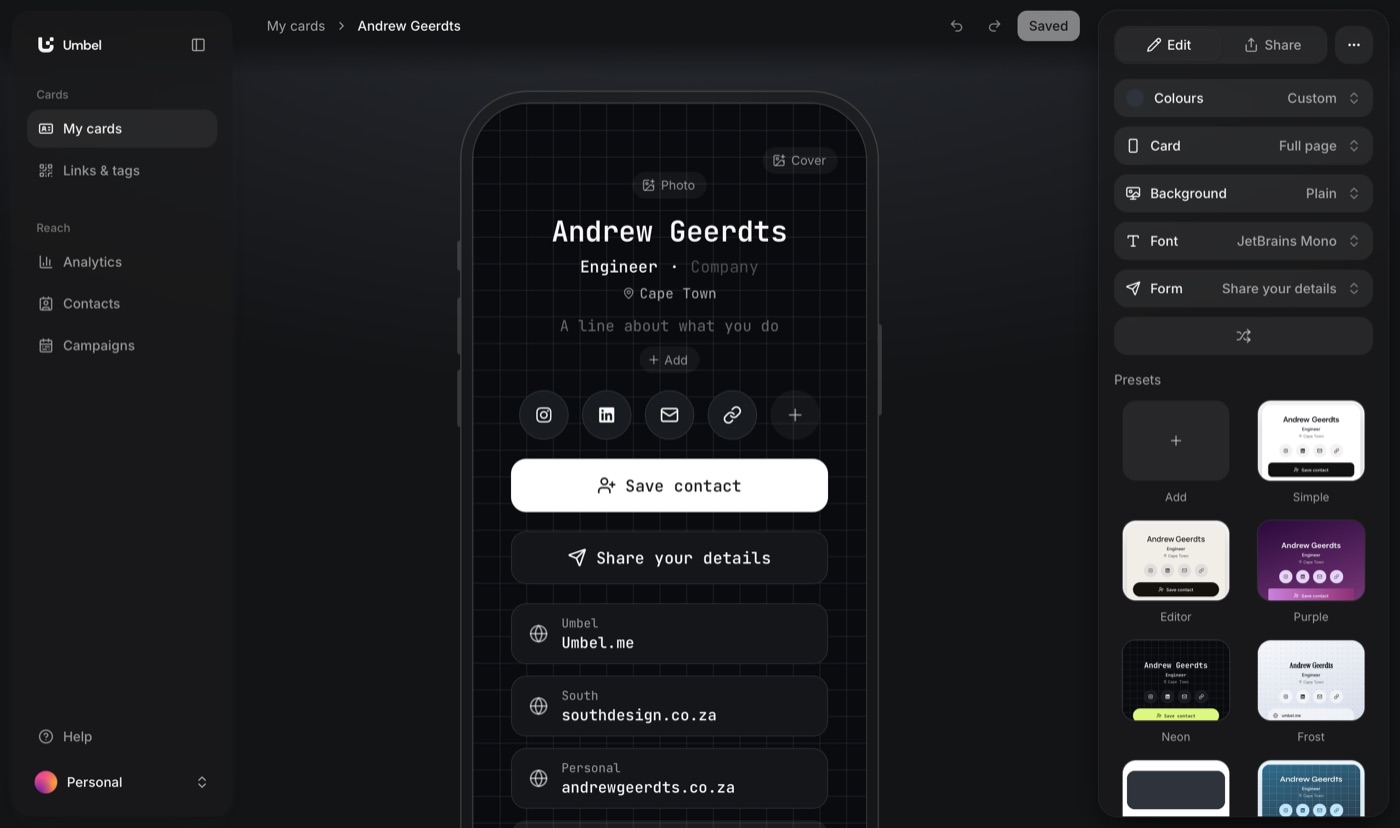
A new and intuitive way to edit your card. Edit directly on the card: click your name, your links or your photo and change them where they sit. It is more intuitive than filling out forms.
The panel beside the card controls the look: colours, card style, background, font and form. You can use any colour and choose from 16 fonts. A card can sit on its background or fill the whole page.
Presets show your own card in each style, so you can compare them before you choose. Surprise me picks a new look at random. Undo and redo work while you edit, and your changes go live when you press Save.
The editor is in the phone app too. Turn on Edit and change any part of the card where it sits. A change on your phone is on the web as well.
Read about editing in the app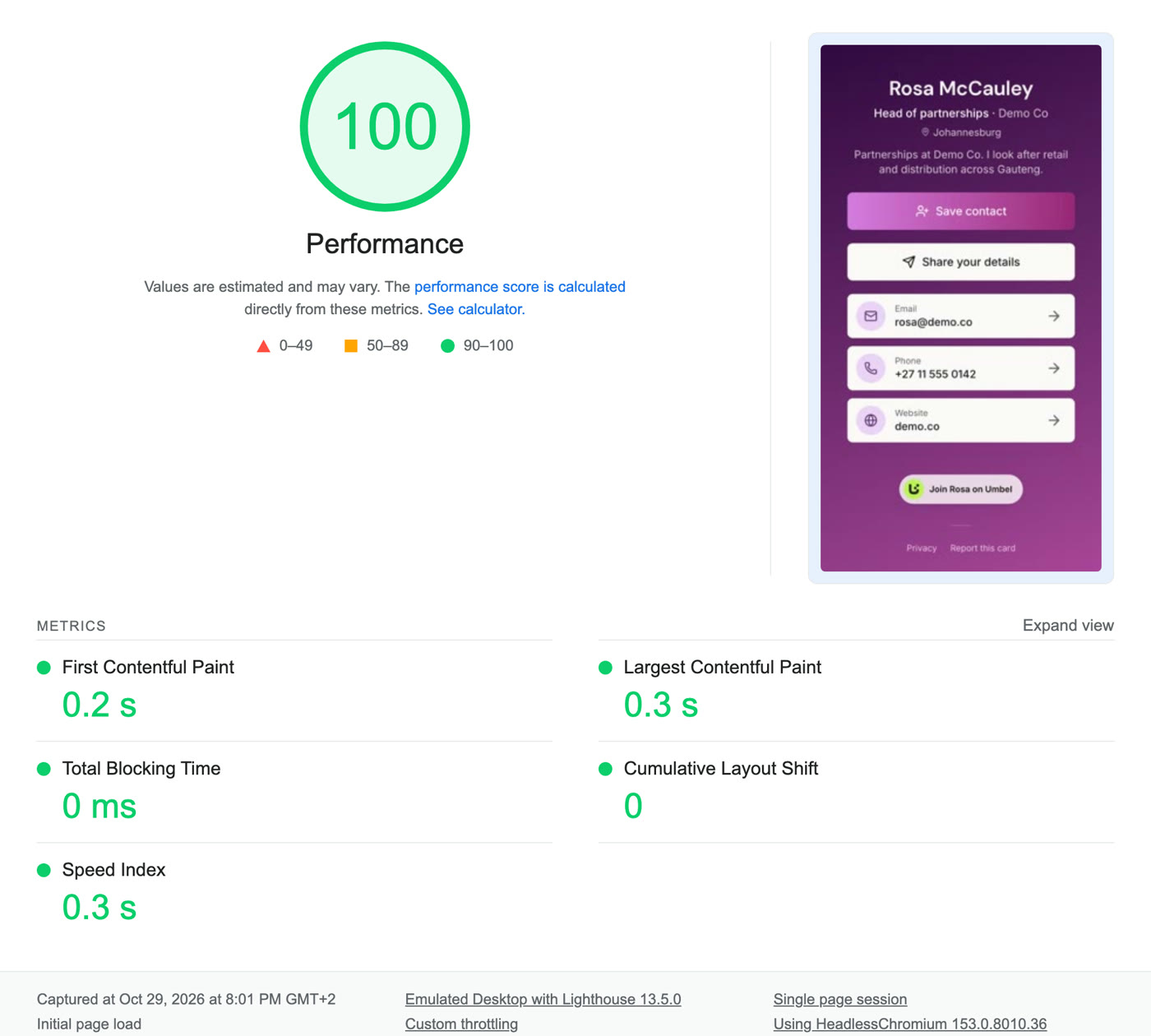
Cards load instantly, in 0.3 seconds. They are served from the edge, and their pictures are cached there. The report above is a real run of Lighthouse, Google's own test, on one card page. It scored 100 out of 100 for performance.
A card page is small and arrives in one go, so a weak signal costs one short wait. A card opens just as quickly in Cape Town, London or Dubai.
Read more about the speed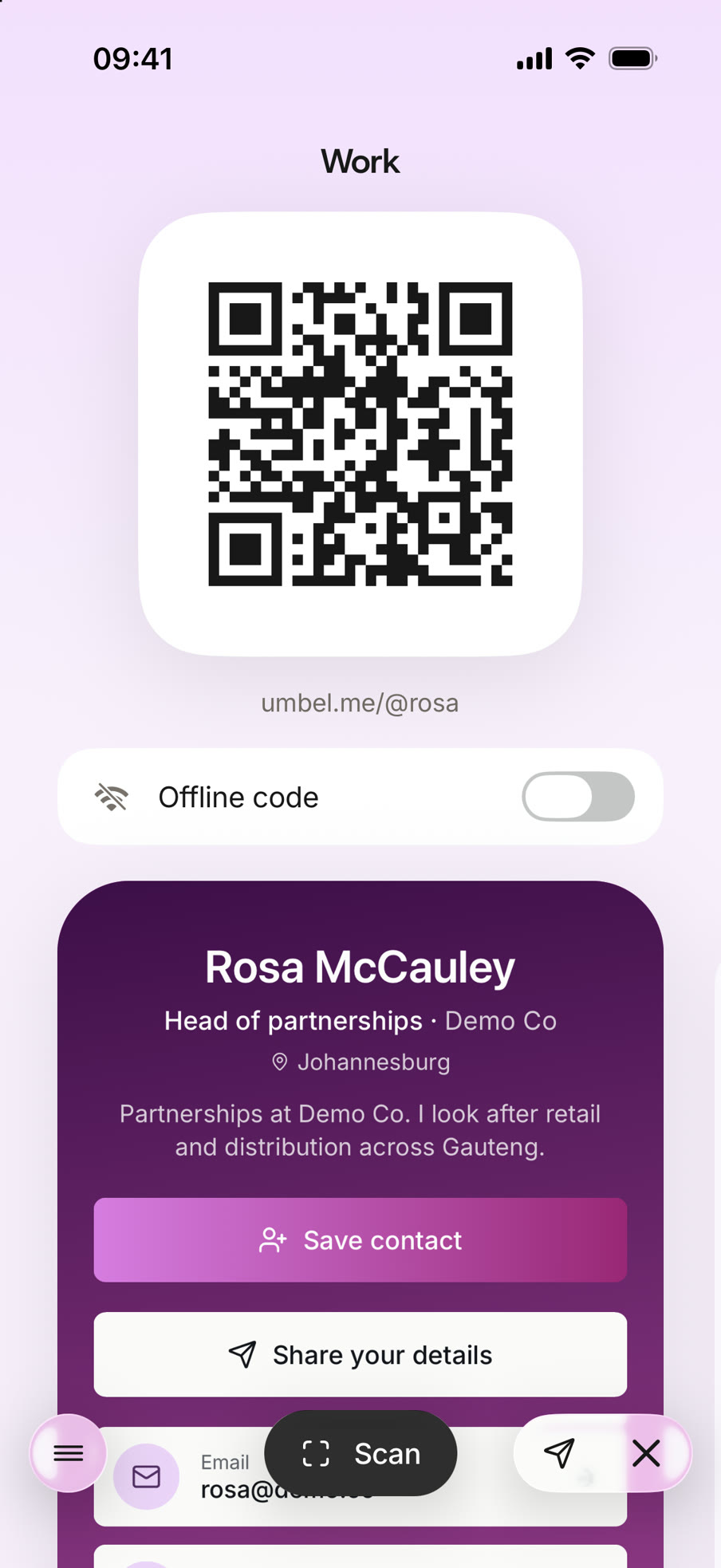
Umbel now has an iPhone app. It is built, and we are testing it before it goes to the App Store. It uses the same account as the web app, so your cards, contacts and scans are in both places.
The template
Mateo Ruiz
Lucía Moreno
Ayanda Cele
Casa Lumi staff · one template
Set once on the template: design, company, website, address
Filled in by each person: name, photo, role, email, number
A template gives your whole team one design. A manager sets the design once, and every card on the template uses it. A new person's card starts with the same look.
Each part of a template has one of three settings:
When you change the design or a locked part, the change reaches every card on the template. You do not edit the cards one by one.
Managers can fill in any card from the team's Cards table. When a person leaves, the team unassigns the card and can give it to the next person. The contacts on that card stay with the team.
Templates are on the Team plan, which starts at two seats.
See how team templates workContacts
Unlimited on every planYour card can carry a Share your details button. The person you meet fills in a short form, and their details land in your Contacts.
You can also photograph a paper card. Umbel reads the name, job, company, email and phone, and you check them before you save the contact. Contacts export as CSV or vCard on every plan.
See how lead capture worksEvery card has a QR code and a link that never changes. You can also write it to any NFC tag, or add it to Apple Wallet or Google Wallet. Wallet passes are free on every plan.
All of these open the same card page. Change your card once, and every code, tag and pass opens the new version. You do not reprint anything.
See how wallet passes workAnalytics shows views, link taps and scans for each card. Umbel Free keeps 30 days of history. Umbel Pro and Umbel Team keep 90 days.
Umbel also has dark mode, on the web and in the app. It follows your device, or you can choose Light or Dark. Your card keeps its own colours.
See what analytics shows